DBT
Local Setup
To be able to run dbt locally
-
Make sure you have python installed 3.8 (this version should work for everyone)
-
Use pip to install dbt
pip install dbt-redshift -
You might lack some additional dependencies. Just install them
-
Create a profile config (
touch ~/.dbt/profiles.yml) with the following content:profiles.yaml
default:
  target: gf_dwh
  outputs:
    # DEV #

    gf_dwh:
      type: redshift
      host: localhost
      user: 'YOUR-REDSHIFT-USERNAME'
      password: 'YOUR-REDSHIFT-PASSWORD'
      port: 55101
      dbname: gfdwh
      # Your own schema name, e.g.
      schema: dbt_harry_potter
      threads: 4

    # DEV2 #

    # gf_dwh:
    #   type: redshift
    #   host: localhost
    #   user: 'YOUR-REDSHIFT-USERNAME'
    #   password: 'YOUR-REDSHIFT-PASSWORD'
    #   port: 55111
    #   dbname: gfdwh
    #   # Your own schema name, e.g.
    #   schema: dbt_harry_potter
    #   threads: 4

    # STAG #

    # gf_dwh:
    #   type: redshift
    #   host: localhost
    #   user: 'YOUR-REDSHIFT-USERNAME'
    #   password: 'YOUR-REDSHIFT-PASSWORD'
    #   port: 55131
    #   dbname: gfdwh
    #   # Your own schema name, e.g.
    #   schema: dbt_harry_potter
    #   threads: 4

    # PROD #

    # gf_dwh:
    #   type: redshift
    #   host: localhost
    #   user: 'YOUR-REDSHIFT-USERNAME'
    #   password: 'YOUR-REDSHIFT-PASSWORD'
    #   port: 55141
    #   dbname: gf-dwh
    #   # Your own schema name, e.g.
    #   schema: dbt_harry_potter
# threads: 4 -
Remember to open bastion tunnels to RS
- You can use the gf-helpers script for this:
# USAGE: gf_port_forward_db [env] redshift
gf_port_forward_db dev redshift
- You can use the gf-helpers script for this:
-
Run
dbt debug(In your project directory) It can suggest some additional changes, like runningdbt deps -
Make sure you have access to RS by executing for example
dbt seed -s country_locations.csv -
Run a sample compile
dbt compile -s all_jobs_by_descriptionYou will see compiled data in target directory
Reference Documentation
Jobs location
Checking the logs
You either ran or are running a job, and you want to check what was created in the details:
create\s+[table|view]+[\n\r\s]+"gf-dwh"."gf_data_blocks"

Drop all the white-space to have a more compact view of the logs

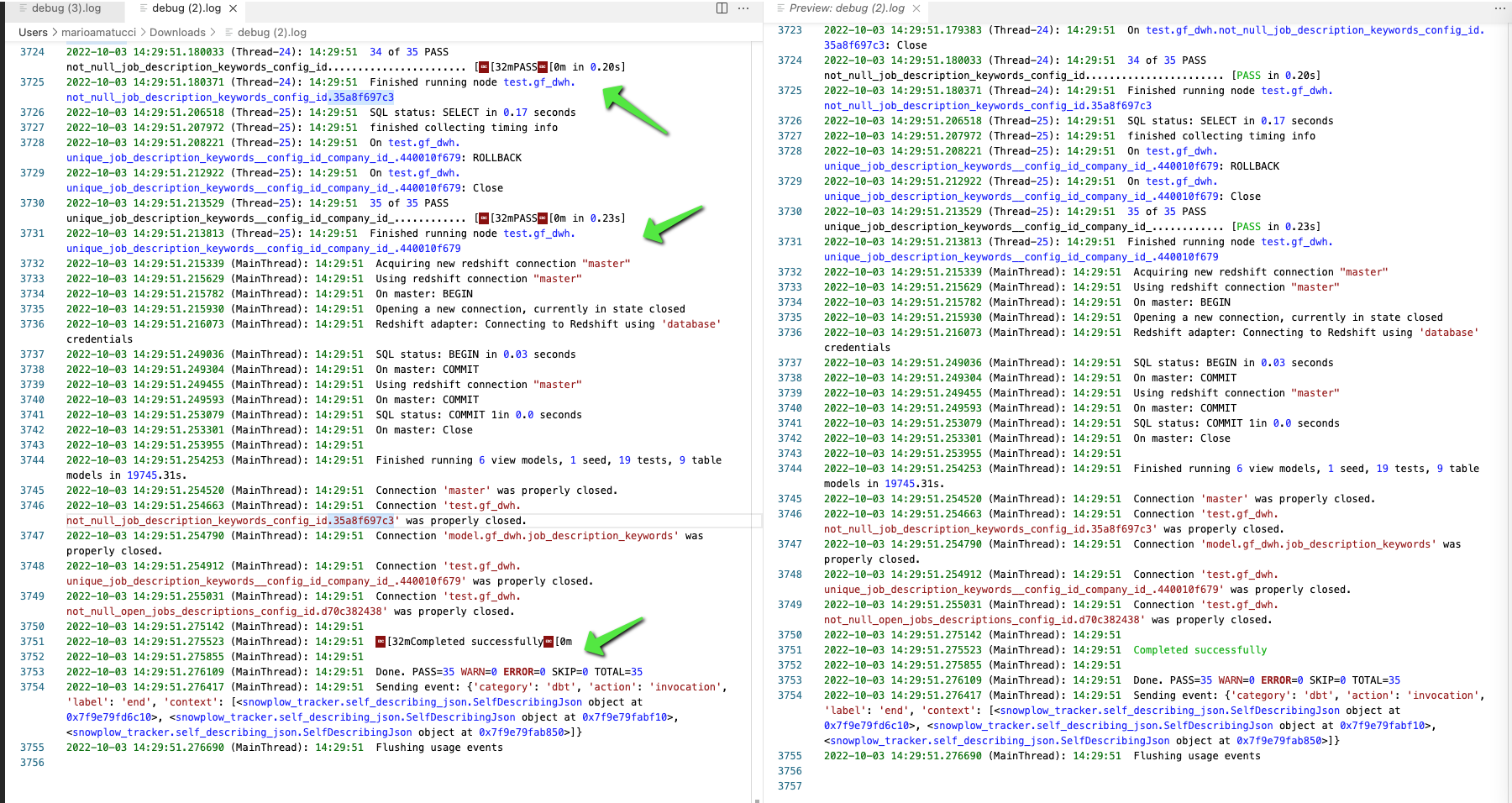
Weird characters in dbt log
Use an extension similar to this one.
Running jobs
There are 2 types of jobs
Prod Jobs
It runs all to refresh gf schema in RS
- currently as some models have dependencies we are running as:
dbt seed
dbt build --select gf_clean
dbt build --select gf_intermediate
dbt build --select gf_data_blocks   --threads 1
dbt_log_status tools
Use this to check the logs and get insights:
One OFF Job
https://cloud.getdbt.com/next/deploy/64906/projects/103262/jobs/132109
it runs what you want to refresh specific gf schema in RS
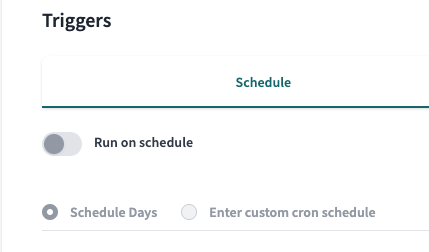
Be careful in case Prod Jobs is currently running or is about to be executed to avoid 2 jobs updating the same models and have RS issues:
- cancel it - if running
- pause the
Prod Jobs scheduling - run
One OFFand wait to complete - re-enable the schedule of
Prod Jobs
consider using some BKP before refreshing dbk example
https://goodfit.height.app/T-6352#83fe3844-286e-47aa-935c-910d77262b91
so you can compare the new and old data
dev
Adding new code logic to models with some test data
use the dev macro to limit the data
ex:
you need to change something on some model

you create a full refresh of the model in your dev schema
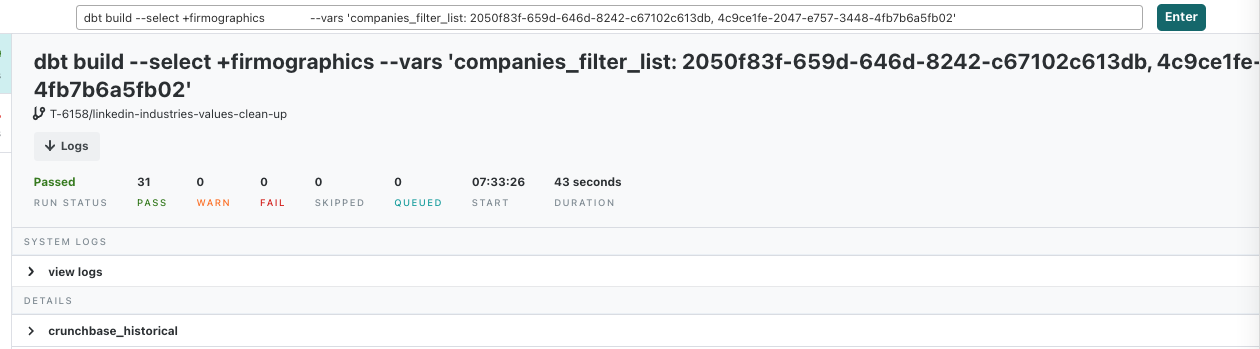
you use scratchpad to check simply you have some data to work with
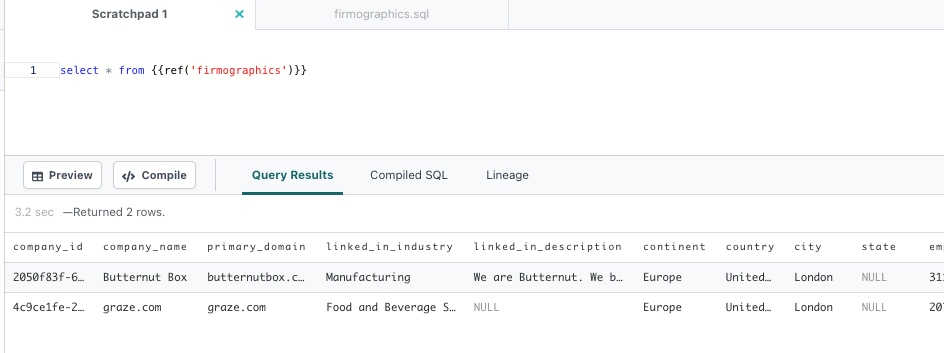
code the changes
test data again before pr
ex:
with new_logic as (
# new logic copied from changed model here)
),
curr_logic as (
select * from {{ref('firmographics')}}
)
# compare them here on sample data
re-rerun of a few merge in master
when a few datablocks were changed and you want to refresh prod data with the latest data and changes in https://github.com/GoodFit-io/gf-dwh/commits/master without waiting for the Prod Jobs
https://goodfit-io.slack.com/archives/C039RLGFUR2/p1666958074891769
using test
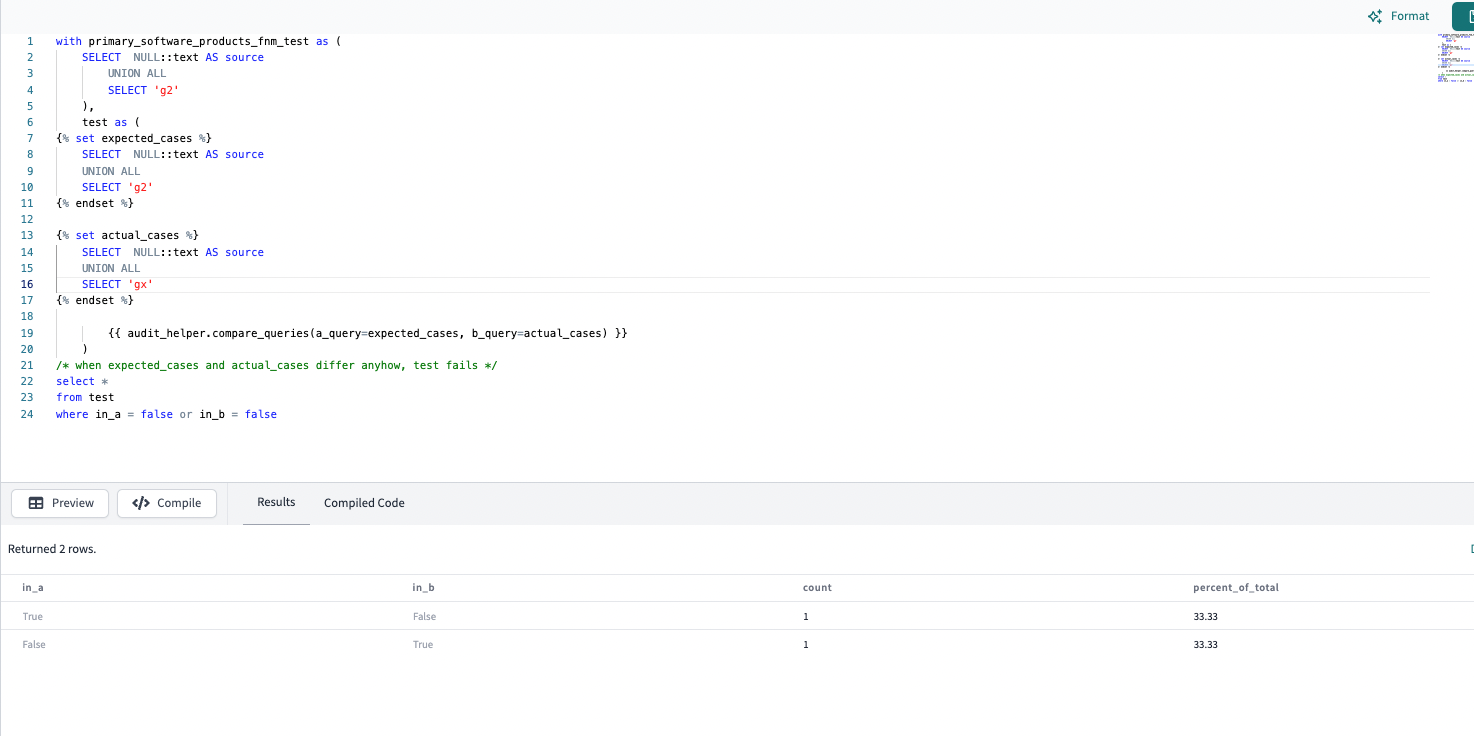
try this simple case to familiarize heir the audit_helper.compare_queries
WITH primary_software_products_fnm_test AS (
  SELECT  NULL::text AS source
    UNION ALL
    SELECT 'g2'
  ),
  test AS (
{% set expected_cases %}
  SELECT  NULL::text AS source
  UNION ALL
  SELECT 'g2'
{% endset %}

{% set actual_cases %}
  SELECT  NULL::text AS source
  UNION ALL
  SELECT 'gx'
{% endset %}

{{ audit_helper.compare_queries(a_query=expected_cases, b_query=actual_cases) }}
  )

-- when expected_cases and actual_cases differ anyhow, test fails
SELECT * FROM test
WHERE in_a = false or in_b = false
it fails ofc
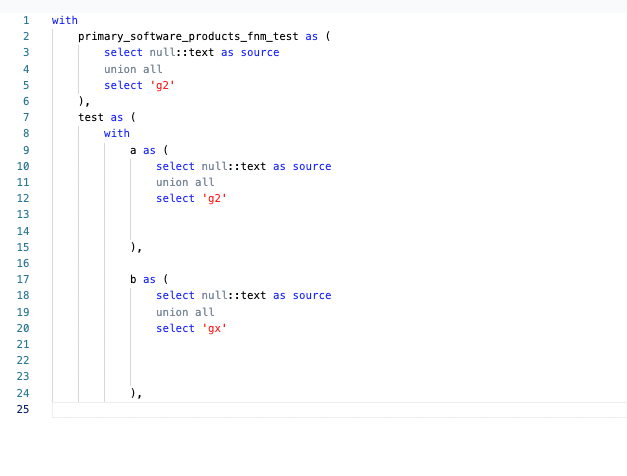
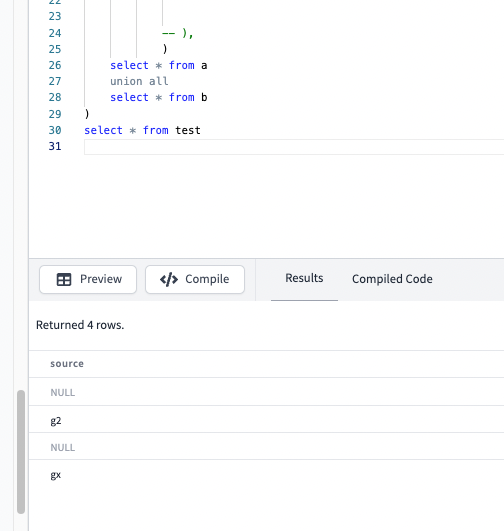
let's print a and b // to see the data
- hit compile // to get compiled version
- keep only a and b cte generated by the macro
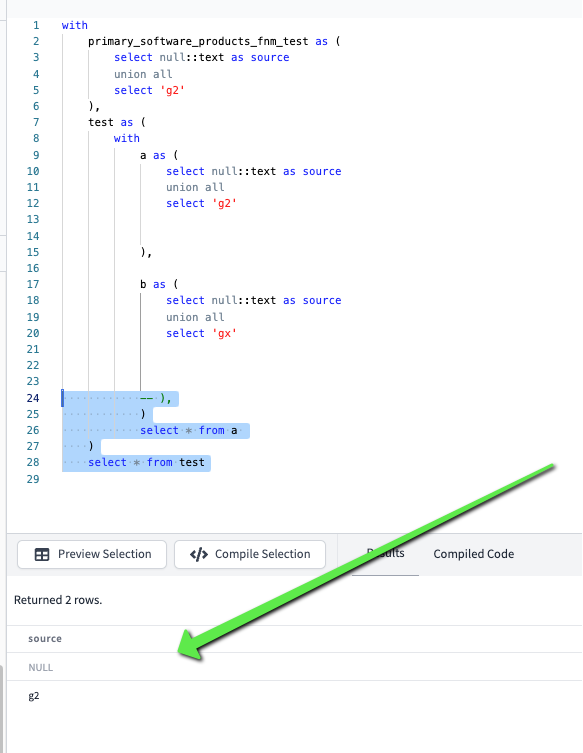
just add these
            -- ),
            )
            select * from a
    )
    select * from test
- a
- b
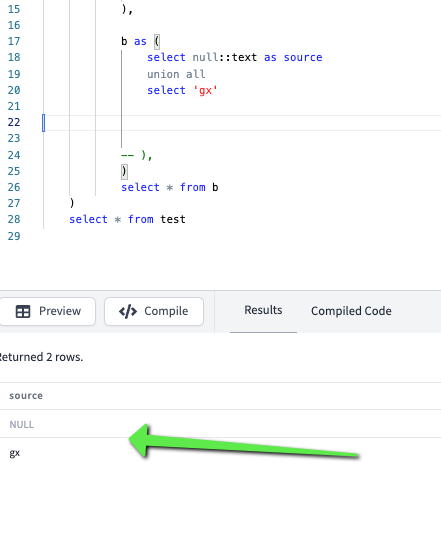
a and b is just a dbt convention fort the macro 😄
Snippets to code faster
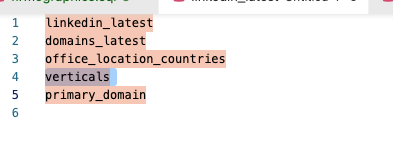
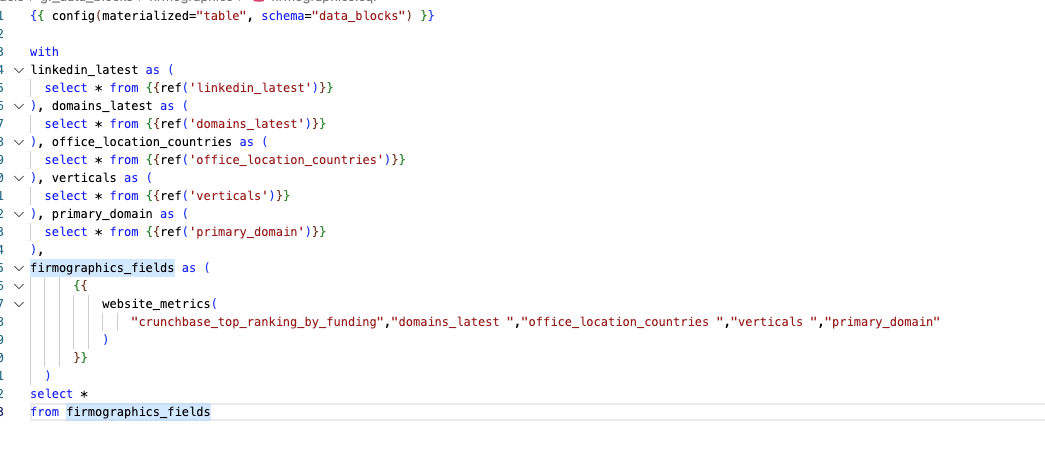
- we want to favour explicit tables used (so you can query them one by one and trouble shoot )
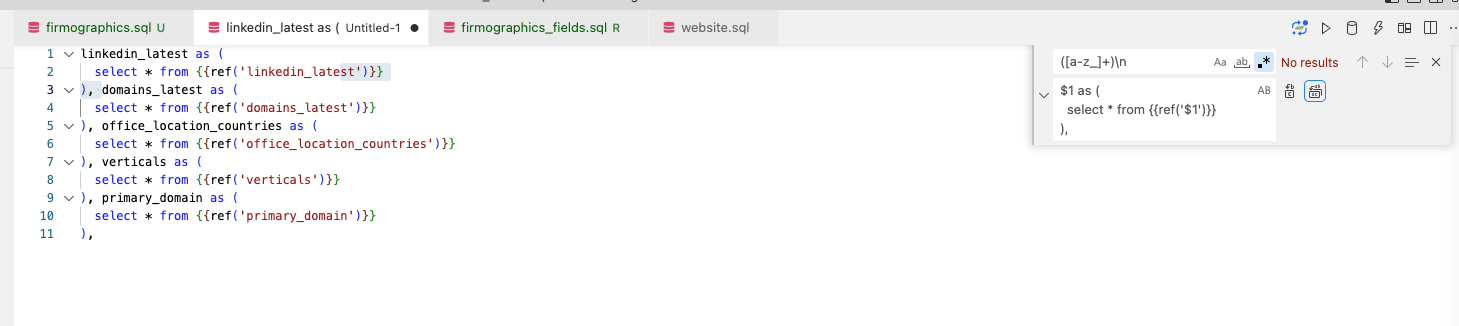
use regex to create the ctes from a list
([a-z_]+)\n

$1 as (
  select * from {{ref('$1')}}
),
and use
performance improvements
This section contains ideas and tests around what can be improved and how
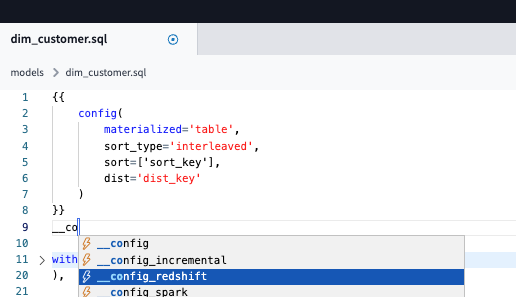
- check this htpps://docs.getdbt.com/reference/warehouse-setups/redshift-setup and RS docs - I am sure that might increase performances if done right