AWS user access
This should highlight how to setup and access our AWS accounts via AWS IAM Identity Center (formerly SSO).
You should receive an email to set up your new account, which should be quite straight forwards.
Via the web gui
The login page for our organization is https://goodfit.awsapps.com/start
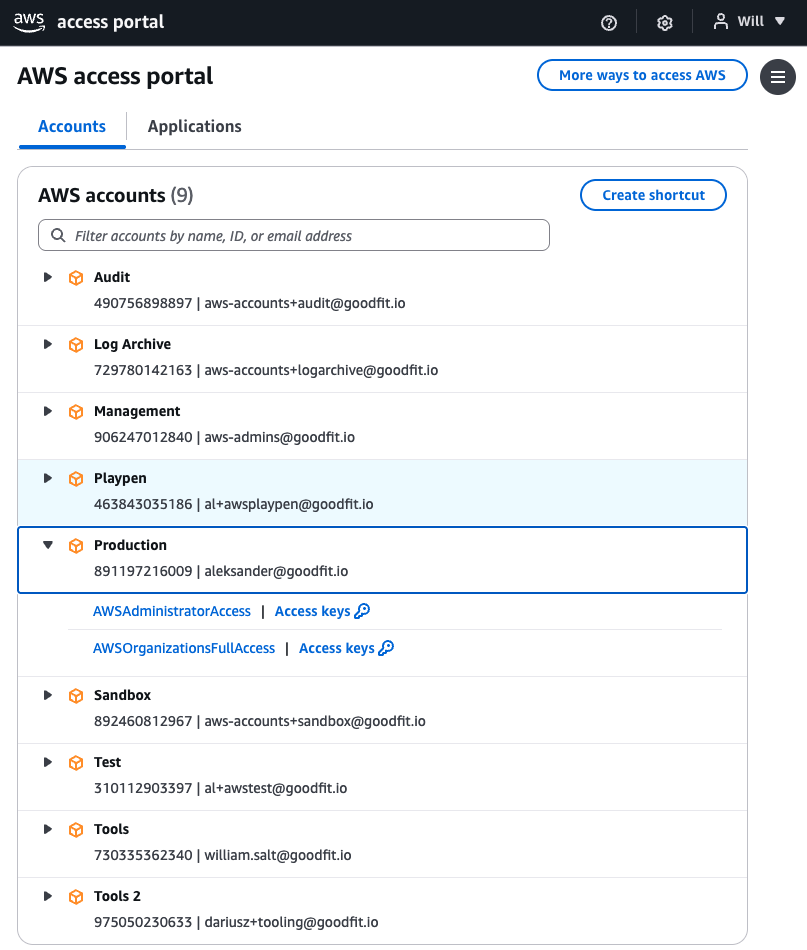
From here you will see the accounts you can access and the permissions sets you can use (iam roles to assume) as shown below. Click on these and it should open a new window, assuming a role into that account automatically.
Via the CLI or SDKs
You will need to configure your aws config file (~/.aws/config) with the following configuration and profiles.
[profile default]
sso_session = goodfit
region = us-east-1
output = json

[sso-session goodfit]
sso_start_url=https://goodfit.awsapps.com/start
sso_region=us-east-1
output=json
cli_pager=

[profile gf-dev2]
sso_session=goodfit
sso_account_id=578465002549
sso_role_name=AWSAdministratorAccess
region=us-east-1
output=json
cli_pager=

[profile gf-playpen]
sso_session=goodfit
sso_account_id=463843035186
sso_role_name=AWSAdministratorAccess
region=us-east-1
output=json
cli_pager=

[profile gf-dev]
sso_session=goodfit
sso_account_id=698342338567
sso_role_name=AWSAdministratorAccess
region=us-east-1
output=json
cli_pager=

[profile gf-stag]
sso_session=goodfit
sso_account_id=318574063456
sso_role_name=AWSAdministratorAccess
region=us-east-1
output=json
cli_pager=

; ⚠️ Always use `AWSPowerUserAccess` as the default for PROD ⚠️
[profile gf-prod]
sso_session=goodfit
sso_account_id=891197216009
sso_role_name=AWSPowerUserAccess
region=us-east-1
output=json
cli_pager=
Once you have configured this run the following command to login and cache an authenticated session
aws sso login
Once you have logged in you can use your aws profiles as normal for example
AWS_PROFILE=gf-dev aws s3 ls | grep gf-app-backend
Deploying with serverless (sls command)
The sls command does not support aws sso via a profile, therefore you need to set the AWS_ACCESS_KEY_ID, AWS_SECRET_ACCESS_KEY and AWS_SESSION_TOKEN…
There is a shortcut for this, set this in your ~/.zshrc file:
function asls() {
  eval '$(aws configure export-credentials --profile $AWS_PROFILE --format env)'
  AWS_PROFILE='' sls $*
}
You can then use the asls command in place of sls.
Additional helper script
If you want to improve your cli experience, try this in your ~/.zshrc file:
setopt prompt_subst
echo -ne "\e]1;$PWD\a"
PROMPT='%F{cyan}%1~%f %F{yellow}$AWS_PROFILE%f %# '

function awss(){
  export AWS_PROFILE=$1
  aws sso login
}
This means you can use awss (AWS switch) to switch profile and trigger login, and it also shows the current AWS_PROFILE in the cli prompt:

Eg folder name (blue) and aws profile (yellow)